How to summarise a long document with AI
A summary that drops a caveat is worse than no summary, because you act on it. The trick is to say what the summary is FOR, and to ask two questions afterwards that catch what went missing.
about 8 minutes · written by Robert Prime · recommendation from our summarising board, updated 13 Aug 2026
By the end of this you will have
- A summary written for the decision you actually have to make
- Two check questions that catch a dropped caveat or a changed number
- A way to handle documents too long to paste in one go
Which AI to use for this
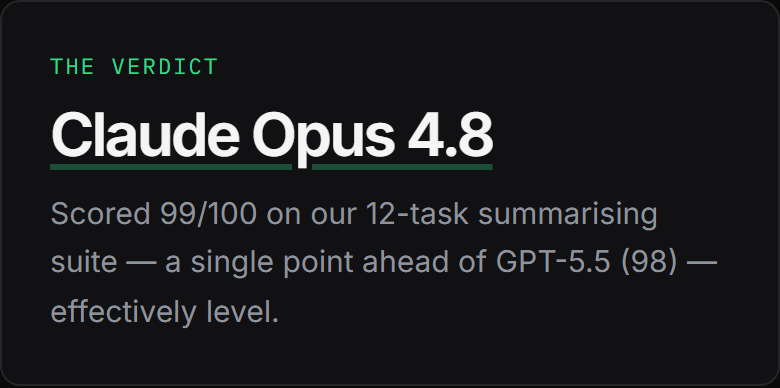
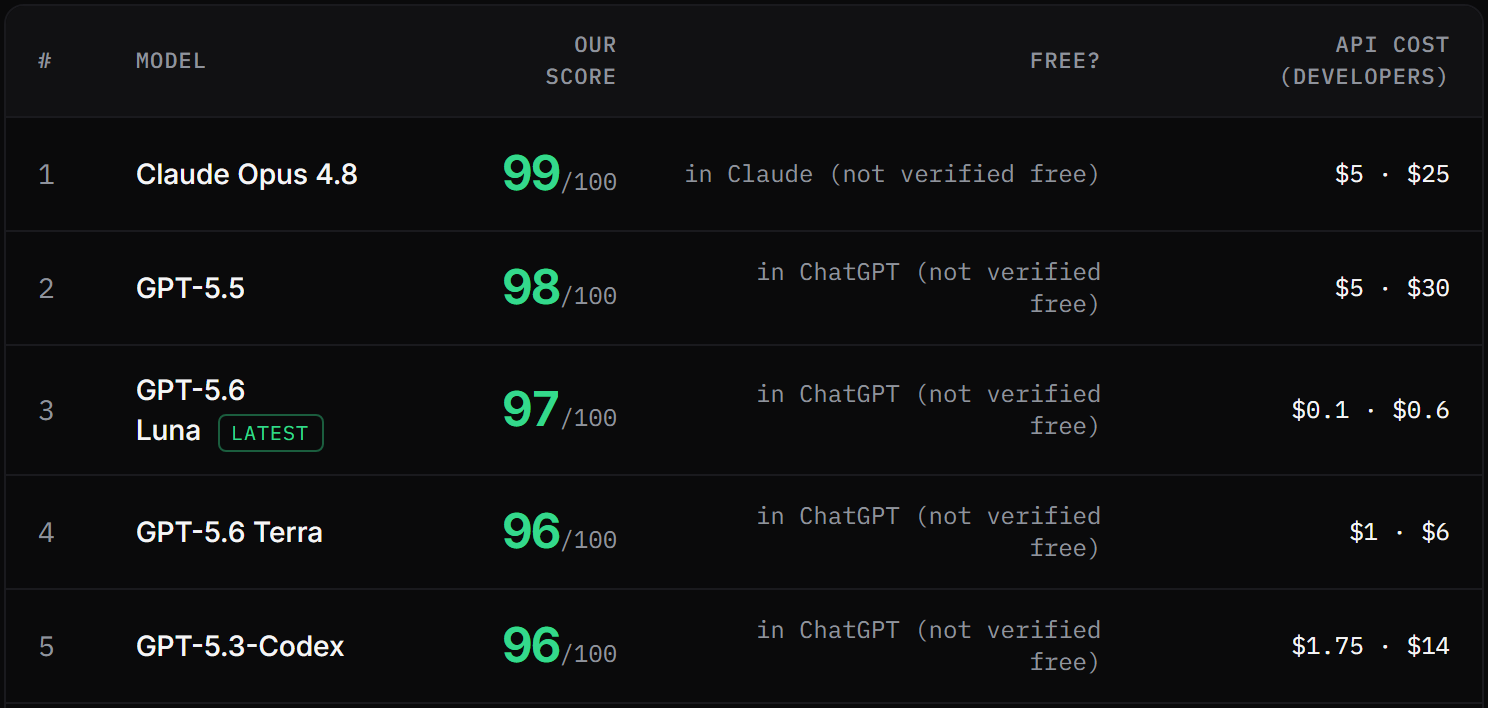
Claude Opus 4.8 tops our summarising board with 99/100 across 12 tasks, marked blind by judges from three rival labs. You do not install it or sign up for anything unusual — it is the engine inside Claude (claude.ai) ↗, and the free tier is enough to start.
Already pay for something else? GPT-5.5 (98) and GPT-5.6 Luna (97) came next on the same tasks. 2 of the 19 we tested finished within a single point of the top, so the steps below matter more than which of them you open.
Step by step
- 1
Say what the summary is FOR
"Summarise this" gets you a shorter version of everything. Say who is reading it and what they have to decide, and you get the four lines that matter to them.
Paste thisSummarise the document below for a landlord deciding whether to sign this contract. Rules: - 5 bullets maximum - Keep every number and date exactly as written - Keep any condition, exception or caveat, even a small one - If something is unclear in the original, say so rather than smoothing it over - Don't add anything that isn't in the document DOCUMENT: [paste the text here]
Change the reader and the decision to yours. That one clause does more than any other instruction on this page.
- 2
Ask what it left out
The most useful question you can ask a summary. It surfaces the paragraph you would have wanted to know about, and it takes one line.
Paste thisWhat did you leave out of that summary that someone in my position might regret not knowing?
- 3
Ask what it is unsure about
Different question, different answer. This one finds the bits the document itself is vague on — which is usually exactly where the risk lives.
Paste thisWhich parts of the document are genuinely ambiguous, as opposed to just badly written?
- 4
Check three facts against the original
Pick the three that would cost you most if they were wrong — a figure, a date, a condition — and find them in the source document with your own eyes. Every time. This takes a minute and it is the whole reason a summary is safe to use.
- 5
For very long documents, do it in sections
If it will not fit, or the answers start going vague, feed it a section at a time and then summarise the summaries. Quality drops long before the length limit does.
Paste thisThis is part 2 of 4. Summarise just this part in 5 bullets, same rules as before. Don't try to conclude anything yet — I'll give you the rest.
What a good answer looks like
Not a made-up example. This is one of the summarising tasks from our published suite, and what Claude Opus 4.8 actually wrote when it sat it — printed exactly as it was stored, with the mark the judges gave it.
One thing to know before you read it: it was marked against the rules that task sets, which are not the rules on this page. A test suite has to stay identical for every model that sits it, so it cannot adopt the tighter prompt above. Read the answer for the shape of a good one — facts early, constraint respected, a clear next step — not as a template to copy.
Summarise in exactly 5 bullets, max 15 words each, readable in 20 seconds: 'Our Q3 revenue rose 12% to £1.4m, driven mainly by the new retail channel which contributed £310k. Margins slipped from 41% to 37% because of higher shipping costs and a one-off warehouse move. Headcount stayed flat at 34. The main risk into Q4 is the supplier contract, which expires in November and has not been renegotiated. Cash at bank is £620k.'
- Q3 revenue up 12% to £1.4m, boosted by new retail channel.
- Retail channel contributed £310k to overall growth.
- Margins fell from 41% to 37% on shipping and warehouse costs.
- Headcount flat at 34; cash at bank £620k.
- Key Q4 risk: supplier contract expires November, not yet renegotiated.
Judge, marking blind: The response perfectly follows all instructions, providing exactly 5 bullets with under 15 words each. It accurately and concisely captures all key financial and operational metrics from the source text.
- The numbers survive untouched, which is the failure that matters — a summary that rounds a figure has changed the document
- It is short enough to be read, which is the entire point of a summary and the thing most of them get wrong
- It does not add a conclusion the document did not reach; every one of the tasks on this board is scored on what survives, not on how it reads
Common mistakes
Acting on the summary without opening the document.
Check the three facts that would cost you most. A summary is a map, and you do not sign a contract because the map looked fine.
Asking it to summarise a link.
Unless the AI genuinely has web access it will summarise what it remembers about that page, or invent a plausible version. Paste the text.
Accepting a summary with no caveats in it.
Real documents have conditions. A summary with none has almost certainly dropped one — ask the question in step 2.
Summarising a confidential document in a free AI account.
Read what the company does with what you type first. Several of them keep it indefinitely, and some train on it unless you turn that off.
Why there are no screenshots of ChatGPT here
We do not hold accounts with OpenAI, Google or Anthropic, so we cannot take an honest screenshot of their screens — and building a convincing mock-up of one would be exactly the sort of invention this site exists to argue against. The images above are our own published board, which we can show you every pixel of and which you can check yourself. The steps are written so they work whichever of these tools you open, because the words you type matter far more than the buttons around them.
Questions people ask
How long a document can I paste in?
Most of the big chat tools handle a long report in one go now, but the honest answer is that quality falls off well before the hard limit. If the answers get vague, split it and summarise the summaries.
Can it summarise a PDF?
Most of the paid tiers accept a PDF upload. If yours does not, or the PDF is a scan, copy the text out and paste it. A scanned page with no text layer gives the AI nothing to read.
Will it make things up?
Less often in summarising than anywhere else, because the source is right there — but the failure mode is quiet: a dropped caveat, a rounded number, an asserted decision nobody made. That is precisely what our summarising suite scores for.
How to use AI in Excel and Google Sheets
How to turn messy notes into revision flashcards
All guides → · The tested summarising ranking → · How we test → · Every tool and what it costs →